
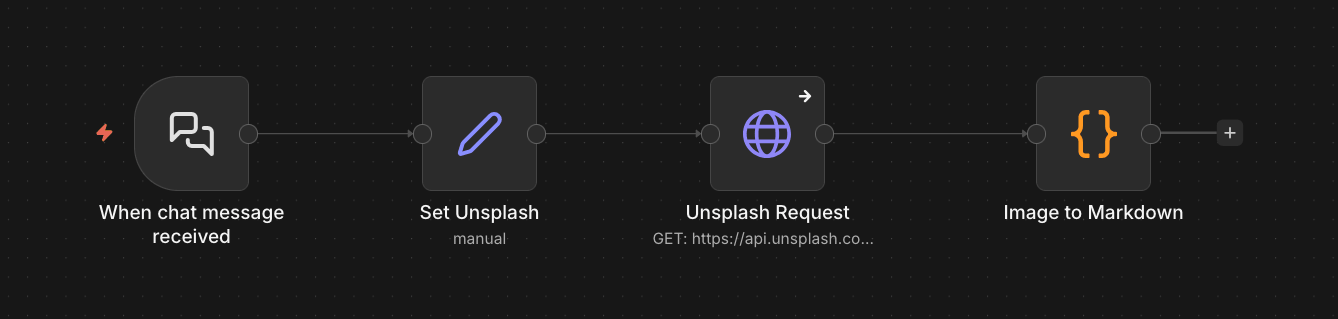
Here’s how to fetch Unsplash images automatically with n8n. Basically just two nodes do all the work:
Overview
I’m fetching images from the photos/random endpoint. This means that Unsplash will give me a random image based on the keywords I provide.
The chat not is how I’m inputting the keywords in this example, but you can get those keywords however you like, obviously … even hard code them if you want.
Then:
Node #1: Set Unsplash
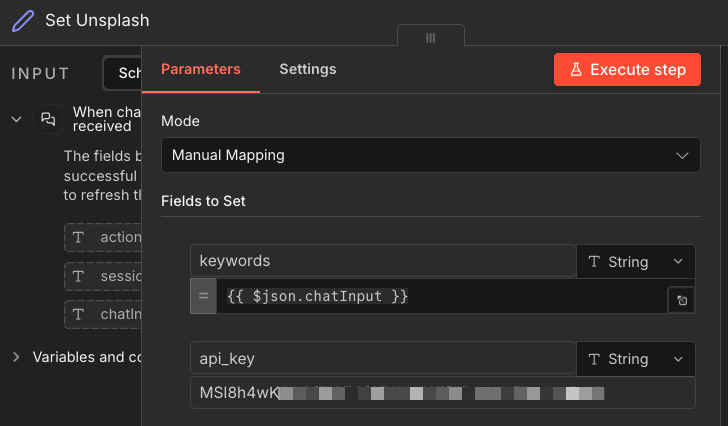
You don’t really need this node. I use it to separate the API key from the call itself, and also to put a wrapper around the keywords so that I can connect something else here if I need to.
Node #2: Unsplash Request
This is the main http request node that’s making the call. Here’s what’s in it:
- Method:
GET - URL:
https://api.unsplash.com/photos/random - Auth: none
- Send query parameters: yes
- Specify query parameters: Using fields below
- Query parameters:
query– hooked to the previous node –{{ $json.keywords }}content_filter–high
- Send headers: yes
- Specify headers: Using fields below
Authorization–Client-ID {{ $json.api_key }}Accept–application/json
Then in the Settings tab:
- On Error: Continue
Node #3: Image to Markdown
This is a JavaScript code node. I use it to handle the error that the API call might produce and also to get the image in the correct Markdown format:
const data = $json;
let output = "";
if (!data.error && data.urls?.regular) {
const imageUrl = data.urls.regular;
const altText = data.alt_description || "";
output = ``;
}
return [
{
image: output
}
];Gives you something like this as a result:
Alternative node #3
If you just want to get the URL, you could use a simple Set node:
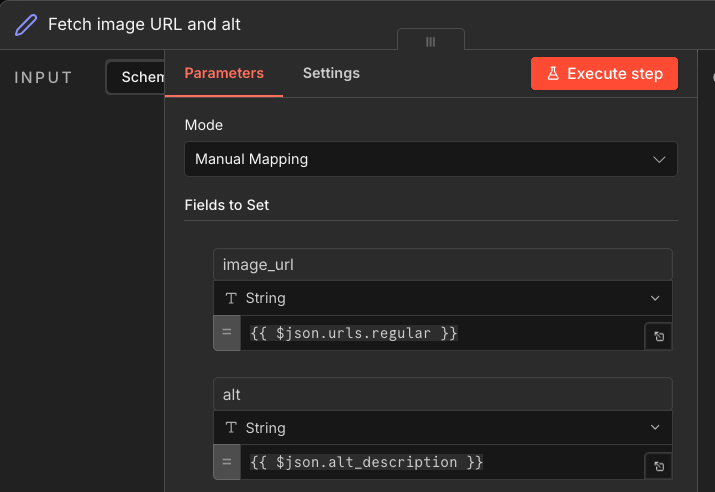
That is it. You can use that image URL later in your workflow or do whatever with it. 👍